Private dictation for Mac, powered on your device
Secretary42 turns speech into text anywhere you can place a cursor on an Apple Silicon Mac. Press a global hotkey, speak, and the local whisper.cpp engine pastes the transcript into the app you are already using.
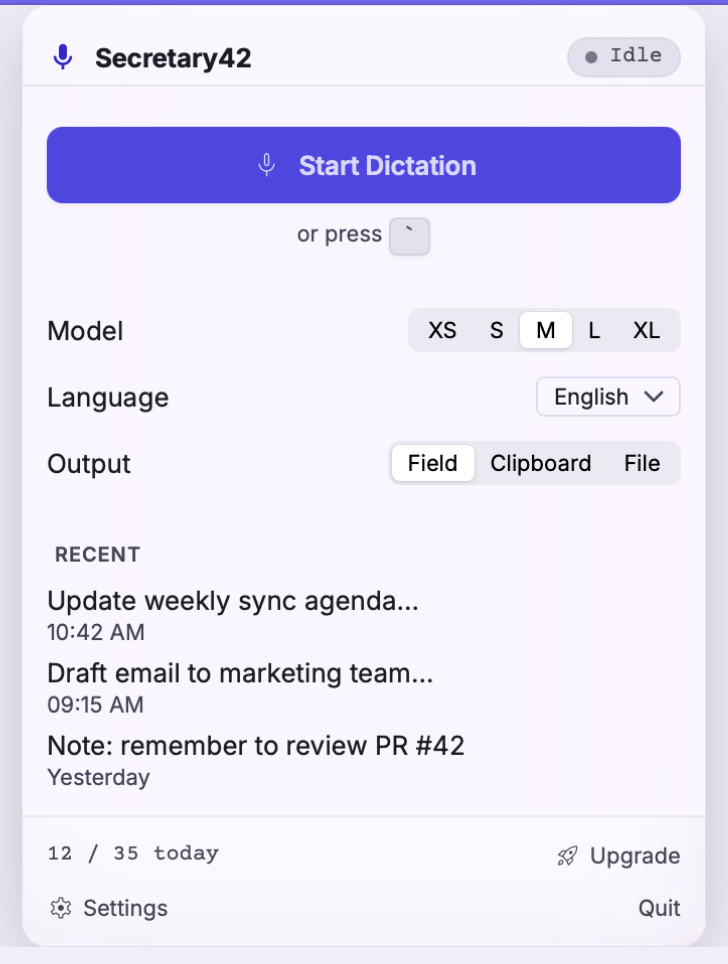
Dictate into the app you already use
Secretary42 is system-wide dictation rather than a separate writing editor. Start it with the default backtick shortcut, or choose another global hotkey. When you stop speaking, the transcript can be pasted at the active cursor, copied to the clipboard, or written to a file. That works well for email, documents, support replies, issue descriptions and draft notes.
What stays on your Mac
Microphone audio and transcript text are processed by the bundled local transcription engine. There is no runtime cloud-transcription fallback. Your transcription history is a local SQLite database, and diagnostics are optional and off by default.
Local transcription does not mean the whole product never connects to the internet. Activation and periodic licence checks, model downloads, product updates, checkout, support, and diagnostics you explicitly enable are separate online flows. The Privacy Notice describes each one.
Choose speed or accuracy
Secretary42 offers quantized Whisper models from Tiny through Large v3. Small is the default because it balances speed and accuracy for everyday English dictation. Larger models can improve recognition and add multilingual support, but use more disk space and take longer to run. Model files download only when you request them and are stored locally.
What Secretary42 does not do
- It does not send dictation to a cloud transcription provider.
- It does not rewrite your words with a remote language model.
- It is not a meeting recorder or speaker-diarization product.
- It does not require an account or sign-in.
Try local dictation on Apple Silicon
Download the notarized macOS build, then choose a model and test it in your normal writing workflow.